01
Free store audit
A person on our team reviews your category and product pages, duplicate and filter URLs, redirects, product schema and load speed, then walks you through what they find. Free, and yours to keep whether or not you go ahead.
SEO for online stores on Shopify, WooCommerce and WordPress. Most of the work sits where a general SEO plan spends little time: category pages, duplicate product URLs, filters, redirects when the catalogue changes, and the product data Google reads for Shopping. Below is what we do, what it costs, and the store results we can show you, caveats included.
Get a free e-commerce SEO audit( BY THE NUMBERS )
Category pages match how people shop, so they carry most of a store's rankings. We give each one a real heading, an introduction that helps a buyer choose, links to related ranges and guides, and answers to the questions people ask before they order.
Manufacturer descriptions copied across many retailers, colours built as separate products, near-identical listings chasing one search. We decide which page should rank for what, then rewrite or consolidate so your products stop competing with each other.
Sort, filter and tag pages can create thousands of URLs showing the same products. We find which ones search engines are actually crawling, keep the filtered views that match real searches, and point the rest at the page that should rank.
Renamed products, retired models and platform moves leave old addresses that still hold rankings and links. Each one gets a single permanent redirect to its closest live page, the replacement model or its category, never a blanket redirect to the home page.
Product markup with price and availability that matches the page, checked in Search Console. Google Merchant Center uses your product data for free listings and Shopping ads, so we check that your schema, your feed and your pages agree.
Product photos, theme apps and home page video are the usual weight. On one catalogue site we re-encoded a 169 MB home page video to 1.56 MB with the same frames. Load speed is part of technical SEO on both plans.
Finance your E-commerce SEO engagement through Tabit and pay in flexible installments if that suits your business. Rates as low as 0%, and pre-qualifying is a soft check.

Kick Starter is the website SEO plan and fits most online stores. Accelerator adds Google Business Profile and local map work, which only matters if your store has a physical location. Prices in CAD, taxes extra, three-month minimum then 30 days' notice.
Get found by the customers already searching for what you sell.
Best for: Businesses that want to start ranking and grow steady traffic.
Everything in Kick Starter, plus Google Business Profile and map visibility.
Best for: Local and service-area businesses that want a managed Google Business Profile and map presence.
Prices in CAD, taxes extra.
Our operating system for growth: one continuous cycle that turns strategy, creative, execution and performance into a single engine.
A person on our team reviews your category and product pages, duplicate and filter URLs, redirects, product schema and load speed, then walks you through what they find. Free, and yours to keep whether or not you go ahead.
Retired product URLs redirected, duplicate and filter URLs brought under control, speed issues closed. A page Google cannot reach cannot rank, however good the copy, so this comes first.
Category pages first, then the products with the most search demand: headings, copy that helps a buyer choose, internal links, and product schema that matches the page.
Buying guides that answer pre-purchase questions, each linked to the category that sells the answer. Reporting from Search Console kept separate from your store's sales data, so a click is never reported as a sale.

Growth Boss OS puts your CRM, texting, calendars, funnels, automations and invoicing in one login. Growth Boss OS is the CRM and marketing platform our clients run on. Subscribe and your account is live in minutes.
Someone searching "mini excavator for sale" or "women's trail running shoes" wants a range to choose from, not a single product. That makes category pages (Shopify calls them collections) the pages most likely to rank for the searches with real buying demand. Product pages tend to pick up narrower searches: model numbers, brand plus product name, exact specs.
Many stores leave category pages as a heading and a product grid. We add what helps a buyer choose: a short introduction, how the products in the range differ, links to related categories and buying guides, and answers to the questions people ask before they order. On Mammoth Machinery, an industrial equipment catalogue on WordPress, six category pages and 21 machine pages were rebuilt this way, and eight guides were published that each link to the category selling the machine they describe.
If your business is not a store, the general version of this work is on our SEO agency page.
On Shopify, URL prefixes are fixed. Products live under /products/, collections under /collections/, and a standard Shopify store cannot remove those segments. A product can also be reached through a collection path such as /collections/pumps/products/product-name. Shopify themes normally point the canonical tag on those paths at the main /products/ URL, but some themes still link to the collection version internally, so search engines keep crawling a second copy of every product. Apps add weight too: many add scripts to the theme, and some leave code behind after they are uninstalled. On the plus side, Shopify builds your sitemap automatically and lets you edit robots.txt through a theme template, so crawl control is possible within those limits.
On WooCommerce, the product and category bases can be changed in WordPress permalink settings, so the URL structure is more flexible. The duplication comes from elsewhere: tag archives, attribute filters and sorting parameters, plus SEO plugin settings that decide which of those pages get indexed.
On both, variants and filters are the usual source of waste. Shopify keeps variants on one product URL with a ?variant= parameter, which is usually what you want; splitting each colour into its own product creates near-duplicate pages unless each colour has its own search demand. Filter and sort parameters on category pages can create thousands of URLs showing the same products. We check which ones search engines are actually crawling, keep the filtered views that match real searches, and point the rest back at the main category.
Stores change constantly. Products get renamed, models are retired, the catalogue moves to a new platform. Every old address that has rankings or links needs a permanent redirect to its closest live replacement. Shopify offers to create a redirect when you change a product's URL handle, and WordPress sites can manage redirects too, but nothing checks whether those redirects still make sense a year later, or whether the ones that matter were ever made.
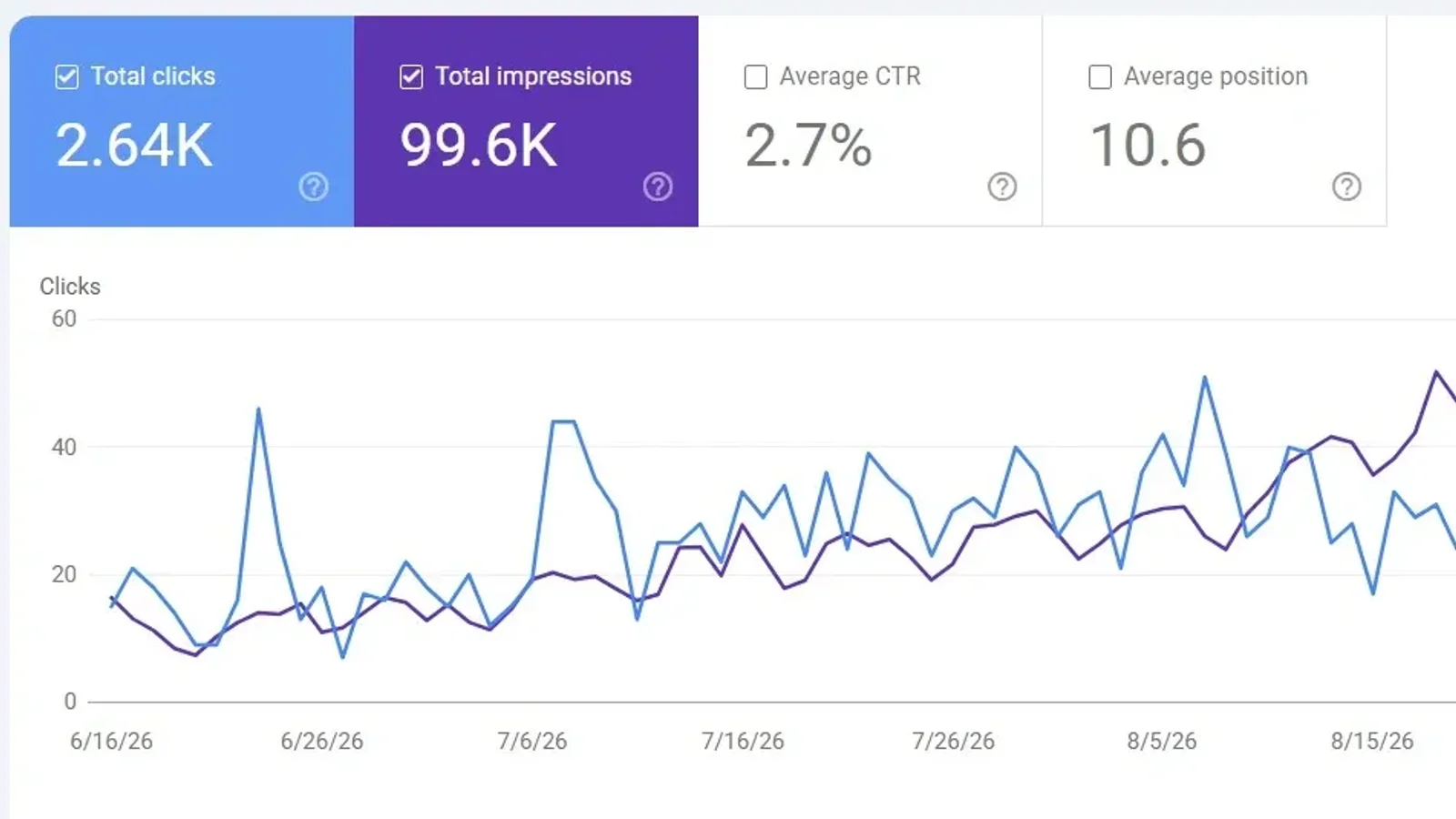
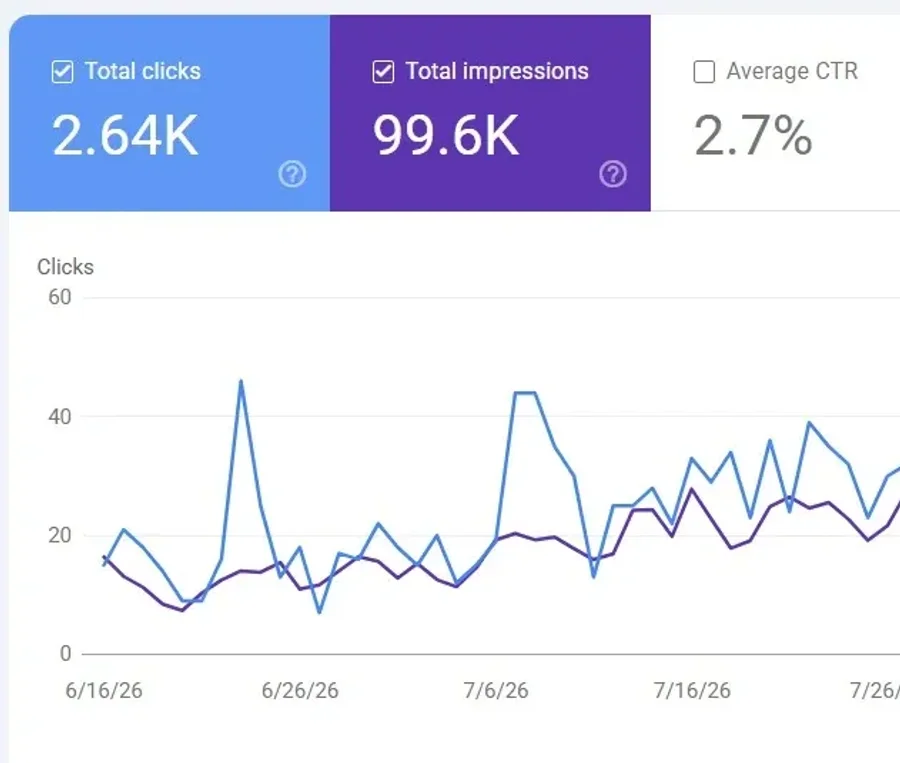
That is the story behind Mammoth Machinery. Its product pages had moved to new addresses earlier in 2026 and the old ones were left pointing at nothing, so Google kept sending buyers to dead ends. We reconnected 34 retired product addresses, each to the machine it used to sell or its replacement, never to the home page. Over the quarter the work ran, total search clicks rose from 1.81K to 2.64K (+46%), impressions rose 67%, and average position moved from 13 to 10.6. Three things to read alongside those numbers: part of the gain is recovered traffic the old pages used to earn, the totals include brand searches, and no links were built from other sites that quarter.
For stock changes the rule is simpler. A product that is coming back should keep its page, marked out of stock, so it keeps its rankings. A product that is gone for good should redirect to its replacement or its category.
Product structured data tells Google a page's price, availability and other product details, and makes the page eligible for richer search results. Eligible is the right word: Google decides what to show. The markup also has to match what the page shows. On Mammoth, price data was corrected on 18 pages so a price is eligible to appear beside the listing.
Google Merchant Center is the other half. It holds your product feed, which free product listings and Shopping ads are built from, and both Shopify and WooCommerce have a Google integration that sends products to it. We check that your schema, your feed and your pages agree, and the audit flags feed problems we find. Feed management is not a listed line in either SEO plan, so if your feed needs real work we tell you what is involved before anything is added.
Organic and paid Shopping work well together. Shopping ads can bring traffic as soon as they are approved, while SEO builds rankings that do not charge per click. The search terms from paid campaigns also show which products and phrases actually convert, which tells the SEO work where to aim. We run both: see Google Ads management. Speed matters to both as well, and our guide to Core Web Vitals for online stores covers the usual causes. If you also want to show up when shoppers ask ChatGPT or an AI Overview for a recommendation, that is our AI SEO service.
Two plans, both public. SEO Kick Starter is $999 a month and is the website SEO plan, the one most online stores need: keyword and competitor research, on-page SEO covering titles, meta, content, internal links, schema and images, technical SEO for load speed and crawlability, four 500-word articles a month, and reporting on up to 100 keywords.
SEO Accelerator is $1,999 a month: everything in Kick Starter with 1,000+ word articles, plus Google Business Profile management, local citations, map rank tracking on six "near me" searches, and competitor tracking. The local parts only matter if your store also has a shop, showroom or pickup location people visit. If you sell online only, we will tell you whether Kick Starter is enough.
Prices in CAD, taxes extra. Every package runs a three-month minimum, then 30 days' notice. Full terms are on the packages page.
Our other store result is Sid's Ponds, a pond and aquatics retailer on WordPress: organic traffic up 85% and $84.6K in online revenue in 90 days. That was a combined campaign, a new e-commerce site, SEO, paid Meta ads and organic social running together, so the revenue is not an SEO-only number. Both results on this page are WordPress stores. We do SEO on Shopify stores, and our web design team builds them, but we have no published Shopify SEO case study yet, and we will not borrow one.
Want to know which of these apply to your store? Get a free e-commerce SEO audit from our team, covering your category and product pages, duplicate and filter URLs, redirects, product schema and load speed. A person looks at your store and tells you what they find.
Get a free e-commerce SEO auditPrefer to start on your own? Our automated website audit is an instant self-serve scan, separate from the audit above.
Pick the work that fits or let us scope the whole thing. A senior member of the team replies within one business day.