Local Business Listings: The 2026 Guide to Getting Found
Local business listings are online records of your business on Google and directories, showing your name, address, and phone. Keeping them accurate and consistent helps you rank in local search and get found by nearby customers.
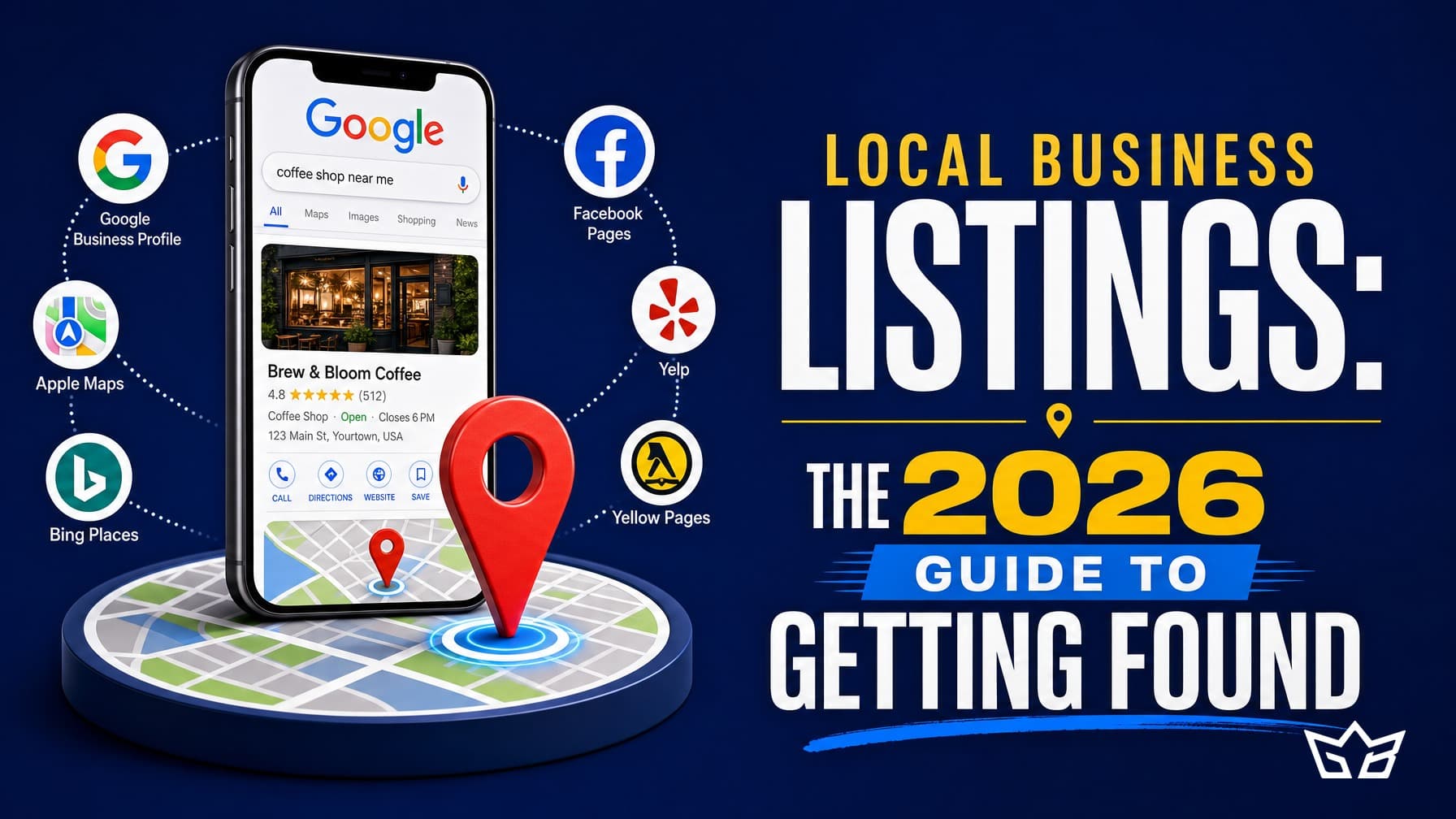
Local business listings are online records of your business on Google, Apple Maps, Bing, and directory sites, each one showing details like your name, address, phone number, and hours. Getting found in 2026 comes down to claiming those listings, keeping the details identical everywhere, and checking them regularly so search engines trust that your business is real and located where you say it is.
This guide covers what listings and citations are, why name-address-phone (NAP) consistency drives local ranking, where to start, and why local listing management is a habit rather than a task you finish once.
What local business listings are
A listing is your business record on a platform. Google Business Profile is the most visible one, but you also have records on Apple Maps, Bing Places, Yelp, and dozens of directories. Every place that shows your business is a listing, and every mention of your NAP details is a citation.
Citations come in two forms. Structured citations sit in a proper directory field, like your entry on Yellow Pages Canada. Unstructured citations are mentions in the wild, such as a local news article or a sponsor page that lists your address. Both count as local citations, and search engines add them up to judge how established and consistent your business looks.
Why NAP consistency matters
NAP consistency means your name, address, and phone number match exactly everywhere they appear. Not roughly, exactly. If Google shows one suite number, Yelp shows another, and an old directory still lists a phone line you dropped two years ago, search engines get conflicting signals about which is correct.
That uncertainty costs you. Mixed data can hold back your ranking in the local map results, and it frustrates customers who call a dead number or drive to the wrong door. Pick one canonical format for your business name, address, and phone, write it down, and use that exact version on every listing. Small differences add up, so decide on details like Suite versus Ste and Street versus St and stick to them.
Google Business Profile comes first
If you only do one thing, claim and complete your Google Business Profile. It powers the map pack, the panel on the right of search results, and a lot of what people see before they ever reach your website.
Fill in everything: primary and secondary categories, hours, service areas, photos, products or services, and a real description. Keep your hours current around holidays, since wrong hours are one of the most common complaints customers leave. Post updates now and then, and reply to reviews, both good and bad. A complete, active profile almost always outperforms a thin one for the same search.
The directories that matter in Canada
You do not need to be on hundreds of sites. You need to be on the ones customers and search engines actually use. For business directories Canada wide, the short list is manageable.
- Google Business Profile, Apple Maps, and Bing Places, which feed maps and search across most devices.
- Yelp, Yellow Pages Canada, and 411.ca, which are widely referenced and trusted here.
- Industry and city sources, such as your local chamber of commerce, a Business Improvement Area (BIA) page, or a trade association directory.
For a business serving the GTA, a listing on the Toronto or Mississauga chamber, or a neighbourhood BIA, adds a strong local citation that generic national sites cannot match. If you serve several cities, make sure your service areas in Google reflect that instead of faking multiple addresses you do not have.
How to manage your listings
Start with an audit. Search your business name and phone number and note every listing that appears, including duplicates and outdated ones. Our free website audit tool can help you see how your site and local presence look before you start fixing things.
Then work the list in order:
- Claim or create the core listings first, using your one canonical NAP.
- Correct or merge duplicates so a single accurate record survives on each platform.
- Fix mismatches on secondary directories, one by one.
- Add categories, photos, and descriptions where they are thin.
Local listing management is mostly patient cleanup. It is not glamorous, but consistent listings feed the same local signals that a strong website SEO plan relies on, so the two support each other.
Tools for listing management
For a single location, you can manage listings by hand with a simple spreadsheet tracking each site, your login, and the last date you checked it. That is enough for many small businesses.
As you grow past a few locations, a tool that pushes your details to many directories at once saves real time. Options like BrightLocal, Yext, Moz Local, and Semrush Listing Management let you update once and sync out, then flag mismatches they detect. They cost money, so weigh the subscription against the hours you would spend doing it manually. For most single-location GTA businesses, careful manual upkeep beats paying for a tool you will not fully use.
Listings need ongoing upkeep
Here is the honest part. Local listings are not a one-time project. They drift. Directories pull in old data from third parties, a platform changes a field, a staff member edits hours and forgets to update the others, or a duplicate reappears months after you merged it. If you set everything up perfectly today and never look again, the accuracy slowly erodes and your local citations fall out of sync.
Treat it as day-to-day maintenance, not a launch. Put a recurring check on the calendar, monthly if you can, quarterly at least. Each pass, confirm your NAP still matches, watch for new duplicates, refresh photos or hours, and reply to reviews. The businesses that stay visible in local search are the ones that keep tending their listings, not the ones that set them once and walked away.
Want help getting your listings accurate and keeping them that way? Get in touch with GrowthBoss and ask about pairing local listing management with our website SEO work so your local presence and your site pull in the same direction.
Frequently asked questions
What are local business listings?
Local business listings are online records of your business on Google, Apple Maps, Bing, and directory sites. Each one usually shows your name, address, phone number, website, and hours. Search engines use these listings to decide which businesses to show for local searches near a customer.
What is a citation in local SEO?
A citation is any mention of your business name, address, and phone number on another website, whether or not it links back to you. Citations on Google, directories, and industry sites help confirm that your business is real and located where you say it is. More consistent citations generally support stronger local rankings.
Why does NAP consistency matter for local ranking?
NAP consistency means your name, address, and phone number match exactly everywhere they appear online. When they do not match, search engines get mixed signals about which details are correct, which can weaken your local ranking. It also confuses customers who find two different phone numbers for the same shop.
Which business directories should my business be on in Canada?
Start with Google Business Profile, Apple Maps, and Bing Places, since those feed maps and search. Then add Yelp, Yellow Pages Canada, and 411.ca, plus any directories specific to your industry or city. For a GTA business, local chamber of commerce and BIA listings are worth claiming too. Focus on the sources that customers and search engines actually use, not hundreds of low quality sites.
Do business listings need ongoing maintenance or is it a one-time thing?
They need ongoing maintenance. Listings drift as directories pull in old data, staff change hours, or you move locations, and duplicates can appear on their own. Plan on a monthly or quarterly check to catch errors, respond to reviews, and confirm your details are still correct. Budgets for local listing management usually run about $100 to $500 per month in CAD depending on how many locations you have.
Reviewed by Bahaa Zuraik under our editorial policy.