Marketing Automation: A Practical Guide for 2026
Marketing automation uses software to run repetitive marketing tasks for you, like emails, lead follow-ups, and CRM updates. Done well, it saves time and keeps leads warm, but it needs regular tending to stay useful.
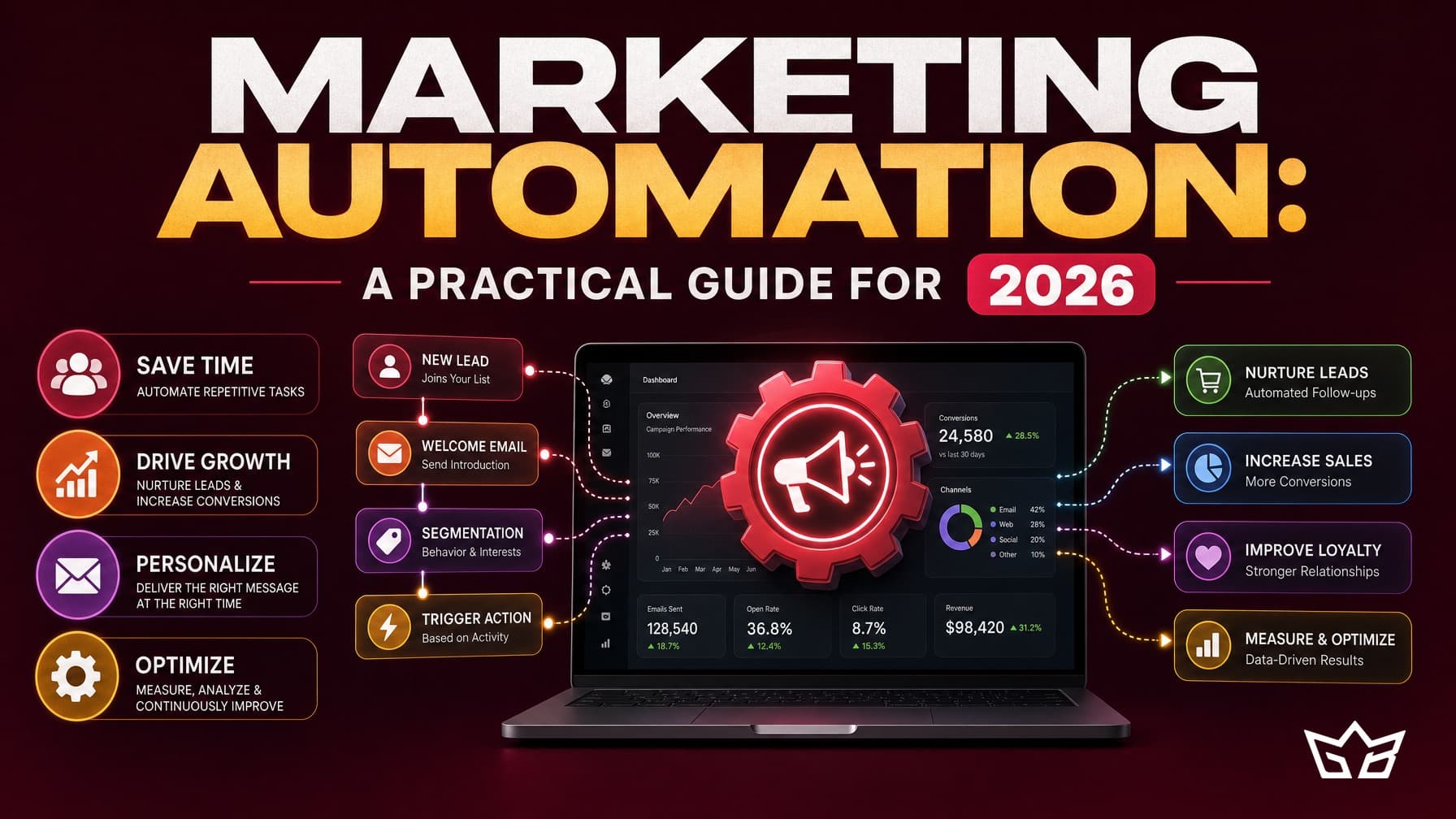
Marketing automation is software that runs repetitive marketing tasks for you, triggered by rules and actions instead of someone doing them by hand. In plain terms, it sends the right email, updates the right record, and prompts the right follow-up at the right moment, so your team stops doing that work manually and stops forgetting to do it at all.
That is the honest version. It is not magic, and it will not fix a weak offer or an empty pipeline. What it does well is make sure nothing slips: every lead gets a reply, every buyer gets a receipt and a next step, and your CRM stays current without anyone remembering to type it in. This guide covers what you can realistically automate, the common tools, where to start, and where AI fits in 2026.
What marketing automation actually means
Strip away the buzz and it is simple. You define a trigger (someone fills a form, buys, clicks, or goes quiet for 30 days), and the software runs a set of actions in response. Send an email. Add a tag. Assign a task to sales. Wait three days, then send another message unless the person replied first.
The value is consistency at scale. A person handling 20 leads a week can keep up. At 200, replies get slow and leads go cold. Good marketing automation keeps that first response instant and the follow-up steady, whether you get 10 enquiries a day or 100.
What you can and should automate
Focus on the tasks you already repeat every week. Those are the safe, high-value wins:
- Email automation: welcome sequences, receipts, re-engagement for inactive subscribers, and post-purchase follow-ups.
- Lead nurture automation: a short series that educates a new lead and moves them toward a call or purchase over a few days.
- CRM updates: tagging, scoring, and moving deals between stages so your pipeline reflects reality without manual data entry.
- Follow-ups: reminders to sales when a lead replies, or when a proposal has sat unopened for a few days.
- Ad rules: pausing campaigns that blow past a cost target, or shifting budget on a schedule.
- Reporting: a weekly summary of leads, spend, and revenue landing in your inbox instead of a manual spreadsheet.
What you should not fully automate is the human, judgement part: a sensitive customer reply, a custom quote, a message that needs real context. Automate the plumbing, keep a person on the decisions.
The tools most businesses use
You do not need an exotic stack. Most small and mid-market businesses run on tools they may already own. For email and simple flows, Mailchimp, Klaviyo, or ActiveCampaign cover a lot of ground. For sales-heavy pipelines, HubSpot and Zoho combine CRM with automation in one place. To connect apps that do not talk to each other natively, Zapier or Make pass data between them.
The right choice depends on where your work already lives. If your customer records sit in HubSpot, start there before adding a second tool. Fewer moving parts means fewer things that quietly break.
Where AI fits in 2026
AI has changed the input side more than the plumbing. In 2026, the useful role for AI is drafting and sorting, not deciding. It can write first-draft email copy for you to edit, summarise a long lead thread, classify incoming enquiries by intent, and suggest the next best step. That saves real hours.
What has not changed: the rules, triggers, and timing still need a human to set and check. AI can help you automate marketing faster, but it also makes it easier to send confident, wrong messages at scale. Treat AI output as a draft, review before it ships, and keep a person accountable for what goes out. This is where a good AI and automation partner earns its keep, pairing the AI drafting with sound judgement on what actually sends.
Where to start (without overbuilding)
The most common mistake is building a 12-step flowchart before a single email has proven it works. Do the opposite. Pick one flow that maps to money: usually a lead follow-up sequence or a welcome series. Build it, launch it, and watch it for a few weeks. Only once it earns its place do you add the next one.
A sensible order: instant lead reply first, then nurture, then CRM tidiness, then reporting, then ad rules. Each one should solve a problem you can name. If you cannot say what a flow is for, do not build it yet.
Common automation mistakes
- Automating a broken process. If your follow-up is weak by hand, automation just sends weak follow-up faster.
- Too many flows, no owner. Nobody knows which sequence sent what, so messages overlap and contradict.
- Set it and walk away. A form field changes, the trigger stops firing, and you lose leads for weeks before anyone notices.
- Over-emailing. Three automated messages in one day is how you train people to unsubscribe.
Automations need maintenance
This is the part most guides skip. Marketing automation is day-to-day work, not a one-time build you finish and forget. Offers change, prices change, forms get edited, and tools push updates that quietly break a connection. A flow that worked in January can be sending stale, wrong, or dead-link messages by summer with nobody watching.
Plan for a monthly review at minimum: confirm triggers still fire, links still work, copy still matches what you sell, and the numbers still make sense. Stop tending it and the gains slide back, the same way an untended ad account drifts and an unwatched inbox fills with missed leads. Automation buys you time only if you spend a little of that time keeping it honest.
A note for GTA businesses
For small and mid-market businesses across Toronto and the wider GTA, automation is often the difference between catching a lead in the first five minutes and losing them to a faster competitor down the road. Local buyers shop fast and compare fast. Instant, consistent follow-up is a genuine edge, and it is one of the cheapest to build with tools you likely already pay for.
If you want help mapping which flows will actually move revenue and setting them up without overbuilding, that is what we do. Learn more about our marketing growth services and our AI and automation work, or get in touch to talk through where to start.
Frequently asked questions
What is marketing automation?
Marketing automation is software that handles repetitive marketing tasks automatically, based on rules and triggers you set. Common examples are sending a welcome email when someone signs up, tagging a lead in your CRM, or reminding sales to follow up. It does not replace strategy or good copy. It just runs the manual steps for you.
What can you automate in marketing?
You can automate email sequences, lead nurture flows, CRM record updates, appointment reminders, follow-up tasks for sales, ad rules that pause underperforming campaigns, and weekly reporting. The safest wins are the tasks you already do by hand every week. Anything that needs a human judgement call, like a sensitive reply, should stay manual.
How much does marketing automation cost in Canada?
Tool costs in CAD usually run from about $25 to $30 per month for basic email automation up to a few hundred dollars monthly as your contact list and features grow. Setup and management through a marketing automation agency typically runs $750 to $3,000 or more per month depending on scope. Budget for ongoing management, not just the software licence.
Is marketing automation worth it for a small business?
For most small businesses in the GTA, yes, if you already have steady leads or a growing email list. Even one good welcome flow and a lead follow-up sequence can recover sales you were losing to slow replies. It is not worth it if you have almost no traffic yet, because automation multiplies what you have rather than creating demand from nothing.
Is marketing automation set-and-forget or ongoing?
It is ongoing. Flows break when you change a form, offers go stale, and open rates drift down over months. Plan for a monthly review at minimum to check that messages still fire, links still work, and the copy still matches what you sell. Automations left alone for a year usually do more harm than good.
Reviewed by Bahaa Zuraik under our editorial policy.